One-command setup
A guided setup builds the guest, the SSH access, the services and the tunnel, step by step. Every answer is saved.
An agent is a shell with your permissions, and it does whatever the prompt asks. AIBox runs it inside a virtual machine with its own kernel, its own filesystem and no way back: the only thing it shares with the host is the folder you choose.
The day to day workflow is deliberately narrow. AIBox sets up a virtual machine, shares one directory with it, and gives the agent the harnesses it needs. Everything else stays where it belongs.
The host share is mounted in the guest with virtiofs. The agent works there, exactly as it would work in a directory on your machine.
Without credentials in the guest, the agent can commit but it cannot push. You keep the last word on what leaves your machine.
The same agent, in three places. The difference is not a policy file, it is what the kernel and the hypervisor enforce.
Scroll the table to see the three columns.
The box protects the host from the agent. It does not protect the agent from the internet, and it does not protect you from your own habits. A few rules keep the value high.
No SSH key, no git credential, no ~/.aws, no token file. The guest is the one place you cannot watch. An agent that finds a key will use it.
The share is the one door between the host and the agent. A worktree for the current task is enough; sharing your whole home is not.
The guest is behind NAT: it can reach the internet, the internet cannot reach it. Leave it that way unless you need a service to be reachable, and open it per service.
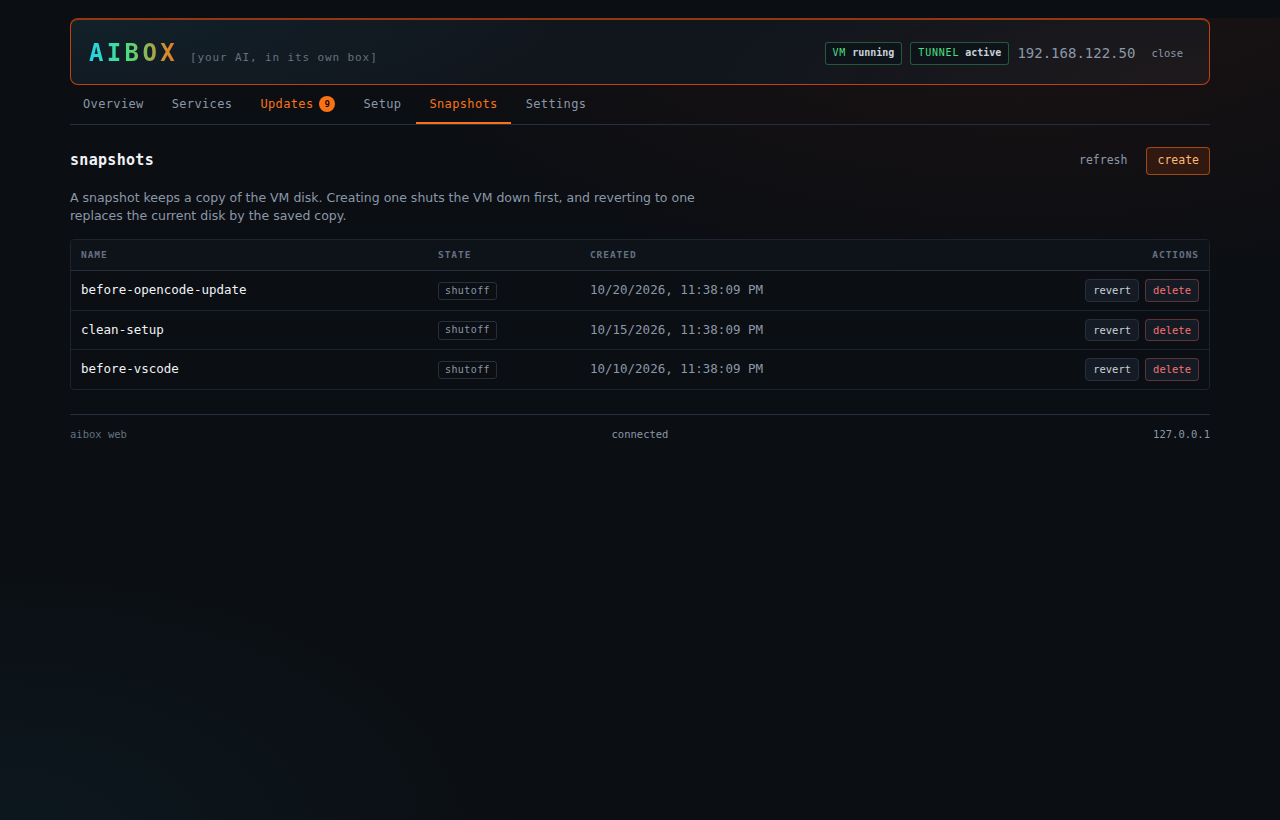
A snapshot takes seconds and gives you a way back. A broken agent becomes an interesting state to look at instead of a lost afternoon.
The agent commits locally because it has no credentials. That is the point: you are the one deciding what goes out.
The agent has outbound internet access, like any program you run. AIBox collects nothing and sends nothing, but what the agent does with the network is between you and your provider.
Setting up a sandboxed agent environment is not hard, but it is tedious, and it is easy to get wrong. AIBox does the boring part so that managing the box is not a second project.
A guided setup builds the guest, the SSH access, the services and the tunnel, step by step. Every answer is saved.
Snapshot before a risky run, revert in a click, and keep the broken state around to study it.
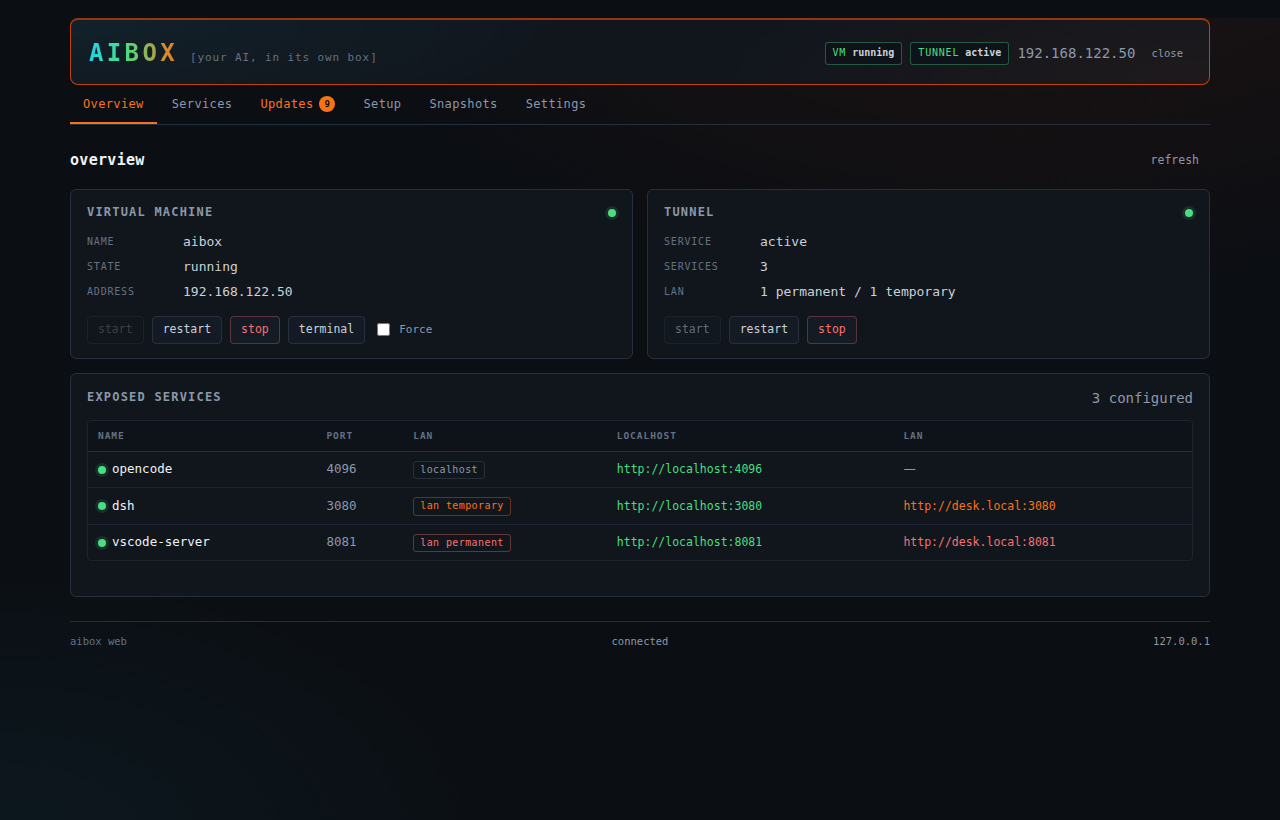
Services, updates, setup steps, snapshots and the VM lifecycle, in a tab that stays on your machine.
The Remote-SSH extension on your VS Code, or the VS Code Server running inside the guest. Both are installed for you.
Each service gets its own port forward and its own bind address. Localhost by default, the network only when you ask.
Expose a single service to the network, per service, without opening the whole VM to the world.
Everything needed to install, update and expose opencode, Claude Code and the DeepSeek Harness is already handled.
Check the host and the VM, then update a service, the scripts, the OS or all of them, one target at a time.
The VM sits behind NAT. It can reach the internet, the internet cannot reach it, and the only path from your machine to the guest is the SSH tunnel.
Clone the repository, run the setup, then pick how you want to work: the shell, the console or VS Code.
The setup creates the guest image, generates a key pair for it, installs the packages, the services and the tunnel, and shares the folder. Every answer is saved, so a second run only asks what changed.
git clone git@github.com:malko/aibox.git
cd aibox && ./setup.shOne command opens an SSH session in the virtual machine, with every service already forwarded to the right local port. This is where your agent works.
./aiboxThe local console shows the services with a live availability dot, and gives you the VM controls, the snapshots and the updates. It stops when you close the tab.
./aibox webaibox start.
The console exists for the people who would rather click than type, and for the moments when a browser is nicer than a terminal. It is not something you are meant to leave running.
Closing the browser tab asks the console to stop, a few seconds later. There is no daemon left behind, and no port left open.
The console is never reachable from the network. When the configured port is busy, it takes the next free one instead of failing.
A random token is generated at every start and passed in the URL fragment. The API also rejects foreign Host and Origin headers, so another site cannot drive your console.
A step that needs sudo asks for the password at that moment. It stays in one shell variable for that step, is never written to a file, never appears in a command line, and is gone when the step ends.
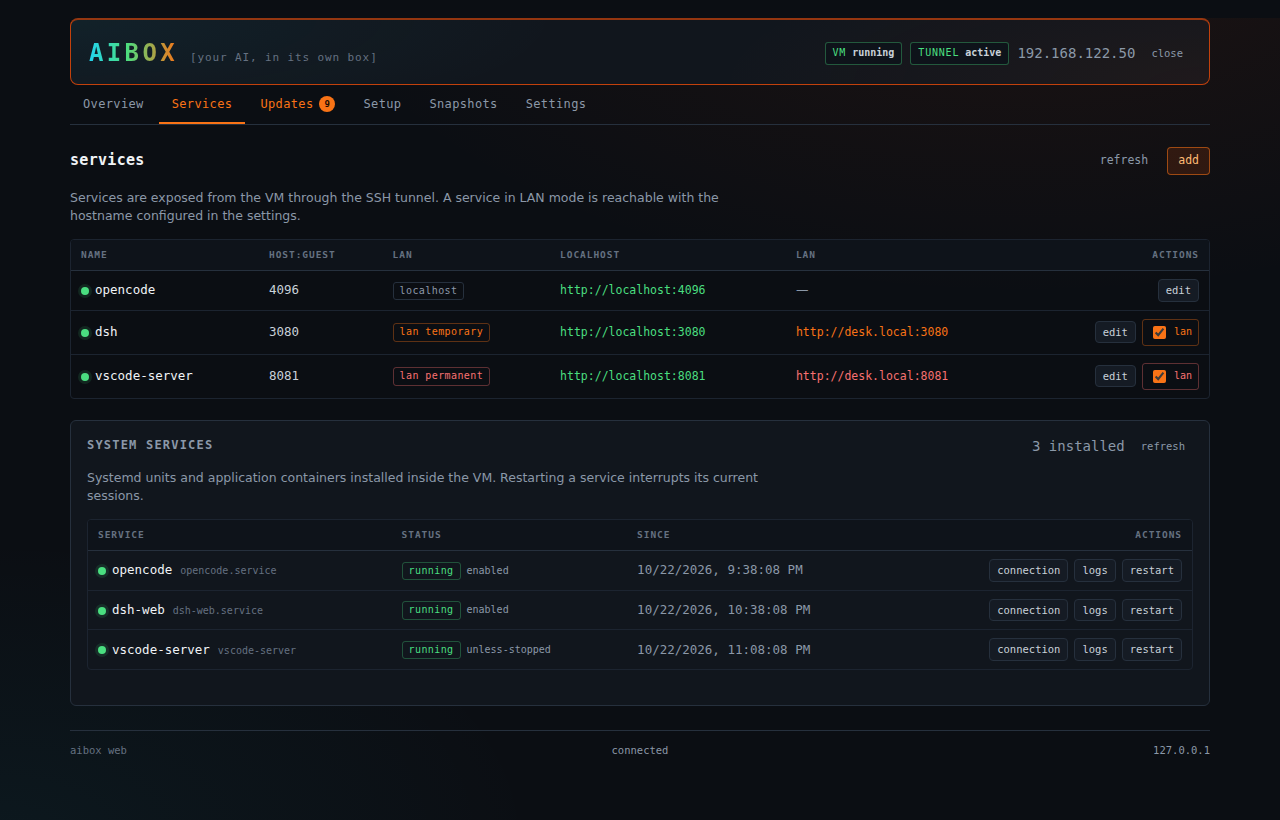
Both are supported, and both are installed for you. Pick the one that fits how you work.
The Remote-SSH extension connects to the guest through the same tunnel as everything else. The host path is mapped to the guest path, so you open a local folder and edit it remotely.
aibox vscode opens it on the right folderThe setup installs the VS Code Server in the guest, so a browser based VS Code can run entirely inside the virtual machine.
aibox update vscode-serverA dozen commands cover the whole life of the box. Everything is scriptable, nothing is interactive-only.
aibox startStart the VM and the tunnelaibox statusState, service URLs, tunnel stateaibox webOpen the local web consoleaibox exec <cmd>Run a command in the VMaibox tunnel <cmd>Tunnel and LAN exposureaibox vscode [dir]Open the VM in VS Codeaibox service-add <n> <p>Add a serviceaibox service-listList the servicesaibox snapshot <cmd>Create, list or delete snapshotsaibox update <target>Update a targetaibox check-updatesCheck for updatesaibox setup [step]Run the setup stepsaibox shutdownStop the tunnel and the VMA Linux host with KVM, and a guest image. That is the whole list.
virsh and libvirt-clienthttpd for the web consoleShort answers, including the limits.
aibox start.aibox service-add mytool 8080 registers a port, and the tunnel, the console and the status output pick it up right away.aibox tunnel lan on opencode. The exposure is temporary by default: it reverts on its own after a couple of hours, and it is always lost on reboot. If a service really has to stay reachable, ask for it explicitly: AIBox then keeps the setting in the configuration and applies it again on the next start. The tunnel binds the port on your network interface instead of localhost, for that service only.One repository, a handful of shell scripts, and a virtual machine that behaves like a machine you own. Clone it, run the setup, and let the agent work.